

If you build or manage stores on Magento or Adobe Commerce, the Mailchimp integration gives you a marketing data pipeline you can roll out the same way for every client, from a single-store boutique to a multi-brand, multi-currency operation. Install it once, learn it once, and repeat it with confidence across the portfolio. Your team’s effort compounds instead of starting over with each build.
The business case your client will thank you for
The integration is free and works with every Mailchimp plan. There is no new subscription line item, no per-order fee, and no charge that scales with catalog size. The marketing platform your client already pays for is the whole cost.
That matters at renewal time. Your client’s Mailchimp investment is not just a subscription; it is their audience, their templates, their automations, and their team’s working knowledge. This integration makes that investment work harder instead of asking anyone to walk away from it. There is no re-platforming project to scope, no list to re-permission, no deliverability reputation to rebuild, and no retraining budget.
The pitch, in the words you can hand your client:
You already invested in Mailchimp: your audience, your templates, your team’s muscle memory, your brand. What was missing was a connection between Magento and that investment that does the platform justice. This integration provides it. Your real order data, your customer-value segments, and your full multi-store setup flow into Mailchimp automatically. It is built to hold through your biggest sales day and it sits light on your server. You keep your platform, your data, and your budget. No migration, no re-permissioning your list, no retraining your team.
Built for real Magento
Real Magento stores are rarely simple, and the integration is built for that reality.
- Multi-store, done properly. Each Magento store view maps to its own Mailchimp store. Orders, products, carts, and customers are scoped to their store from the moment they are captured, so a multi-brand or multi-region setup stays cleanly separated end to end.
- Multi-currency, done properly. Each store syncs in its own currency, and customer-value figures are calculated within a currency, so a EUR customer and a USD customer are each measured against the right peer group.
- Multiple Mailchimp accounts. Brand portfolios that run separate Mailchimp accounts are supported as a first-class configuration. Each account gets its own credentials, its own connection capacity, and its own independent health management, so activity or issues on one account never affect another.
- B2B-shaped order flow. Large orders with many line items move through the pipeline without special handling, and order priority ensures that revenue events always sync ahead of catalog housekeeping.
- Hyvä support. Stores built on the Hyvä theme and Hyvä Checkout are supported.
Every product type, covered
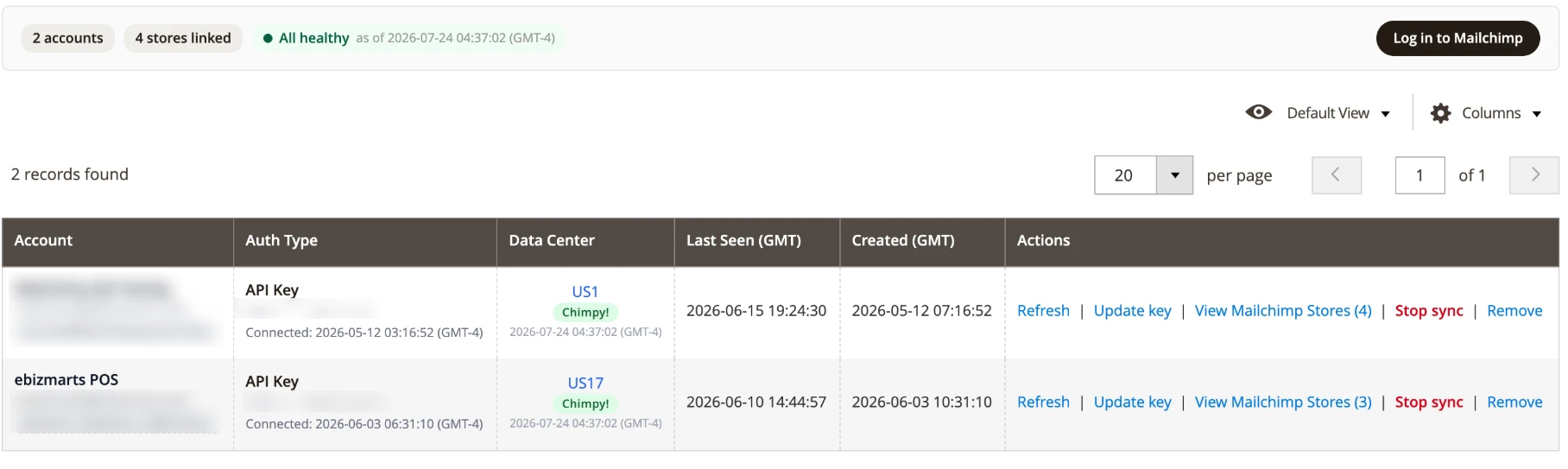
Whatever product types your client’s stack adds, they flow to Mailchimp. Gift cards, memberships, service products from a commercial extension: any custom product type syncs out of the box with a solid standard record, and orders containing those products always report full, accurate totals, so a custom-type product in an order never distorts revenue attribution. Adobe Commerce gift cards go further, with dedicated support built in.
And when a type deserves richer treatment, that door is open. A small, well-bounded piece of development gives it first-class detail in Mailchimp’s product views and recommendations, with the built-in gift-card support as the pattern to follow, and the sync keeps working the same whether or not you take that step. Prefer to hand it off? ebizmarts support builds these on request. How syncing works covers what each product carries.
Peak-proof and quiet on your server
You host the store, so an integration’s engineering is your problem in a way it will never be the client’s. Here is what this one does for you.
It stays off the checkout path. When a shopper places an order, updates a cart, or edits an account, the integration records the change locally and returns immediately. No external calls happen in the shopper’s request, ever; the integration’s entire storefront cost is a single local database write. Even a failure inside the integration does not interrupt the sale: the sync simply catches up on its next pass.
It syncs in the background, on a budget. All communication with Mailchimp happens in scheduled background work with strict time limits per run. New orders and carts travel in Boost, a dedicated priority lane that historical or bulk work can never block, so a full catalog import and a busy sales hour coexist without contention.
It only sends what changed. Before anything is sent, the integration checks whether the data actually differs from what Mailchimp already has, and skips the call when it does not, which keeps both your server and the sync fast.
It holds through the biggest day of the year. The pipeline is designed for peak trading: it works within Mailchimp’s own service limits, gives revenue events the right of way, and keeps pace without adding processes to your stack. The heavy waiting happens on the network to Mailchimp rather than on your database or your PHP workers, and memory and CPU stay within a bounded envelope on shared hosting.
Clone-safe by design. Copy production to staging and the integration notices that store coming up under a different host: its sync stands down automatically before a single call fires, with a clear notice in the admin, so nothing from a staging copy ever reaches your live audience.
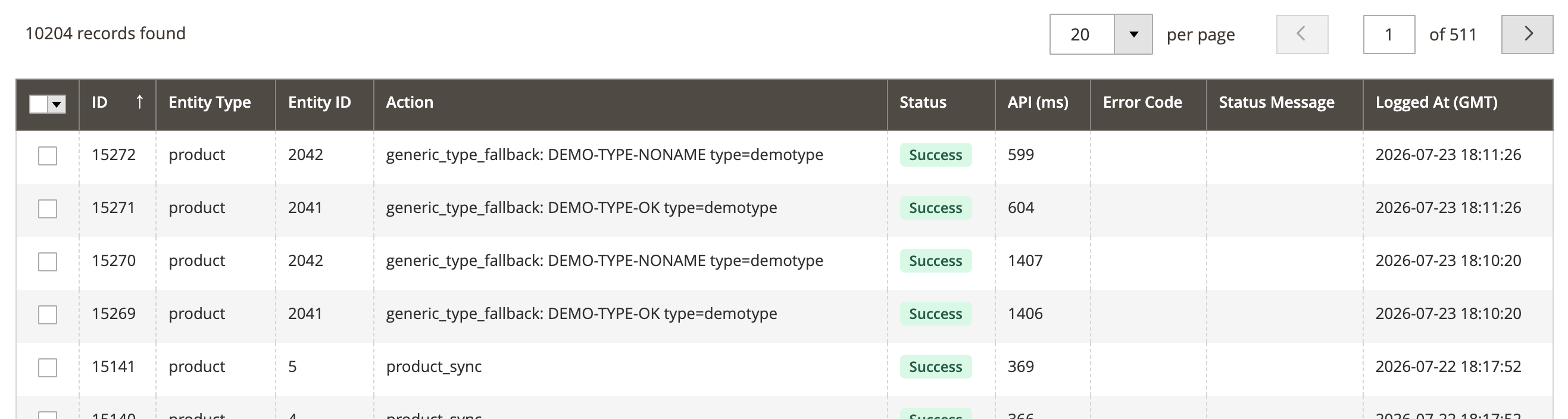
It looks after itself. Rate limits are respected automatically with measured backoff. Network incidents trigger a progressive cooldown instead of a retry storm, and a sustained outage pauses sending entirely while changes continue to be collected locally, so when service resumes, nothing has been lost and the backlog drains on its own. Routine cleanup jobs keep the integration’s own tables tidy without intervention. There are no daemons to run, no message brokers to operate, and nothing that needs overnight attention: if Magento’s standard cron is healthy, the integration is healthy, and a built-in dashboard shows you sync status, throughput, and any item that needs attention.
The data that powers real campaigns
The data your marketing team needs to build serious flows is already in the audience when they open Mailchimp.
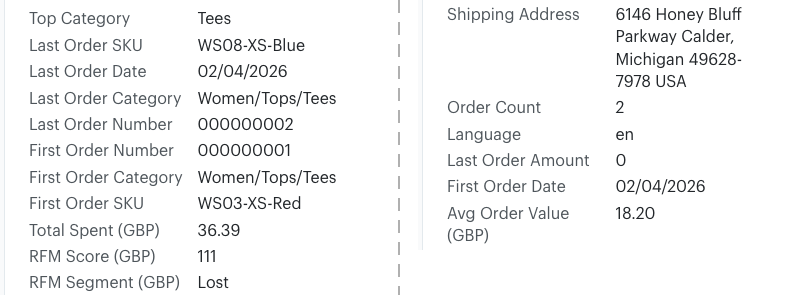
- Customer-value segments from real order data. Every registered customer is scored on how recently, how often, and how much they buy, calculated directly from Magento’s order history, net of refunds, and per currency. The scores arrive in Mailchimp as ready-to-use fields and named segments such as Champions, Loyal, At Risk, and Hibernating. VIP rewards, win-back campaigns, and at-risk saves can be built the day the integration goes live, on figures drawn from actual orders rather than estimates.
- Rich order fields on every profile. Lifetime spend and average order value per currency, total order count, top purchased category, and the details of the customer’s first and most recent orders: dates, order numbers, SKUs and categories, plus the latest order’s amount. All of it reflects your store’s own order history, net of refunds wherever money is involved. That is the raw material for last-category cross-sells, AOV-threshold segments, replenishment timing, first-purchase anniversaries, and post-purchase journeys.
- Guest checkout is not a blind spot. Optionally, orders placed without an account keep a matching audience member’s order history current too. The setting is off by default, updates existing audience members only, matched by email, and never creates a contact from a guest checkout.
- The full commerce picture. Products, orders, carts, customers, and promotional codes all flow through, scoped per store, so abandoned-cart recovery, revenue attribution, and product recommendations in Mailchimp work from complete data. Every product type flows too, including Adobe Commerce gift cards and product types added by third-party extensions, with orders containing them reporting full, accurate totals.
- Clean inputs for the tools you already use. Because the order history and value segments arrive complete and current, every segmentation and automation capability in your client’s Mailchimp plan has accurate data to work with.
Who this shines for
The integration serves Magento stores of every shape and size, and it is at its very best for:
- Merchants with an established Mailchimp audience. The existing investment in lists, templates, automations, and team skills becomes more valuable the moment complete store data flows in behind it.
- Complex Magento estates. Multiple store views, multiple currencies, multiple brands, and even multiple Mailchimp accounts are handled as designed-for cases, not workarounds.
- B2B and higher-value catalogs. Order-first prioritization and per-currency customer-value scoring suit merchants where individual orders are large and customer relationships are long.
- Cost-aware mid-market merchants. A free integration on a published, tiered platform makes the marketing line item easy to forecast and easy to defend.
- Agencies that host what they recommend. If your name is on the infrastructure, an integration engineered to stay off the checkout path and light on the server protects your operations as much as your client’s revenue.
Working in your client’s accounts
Full control of the integration, on both sides, without ever sharing a password.
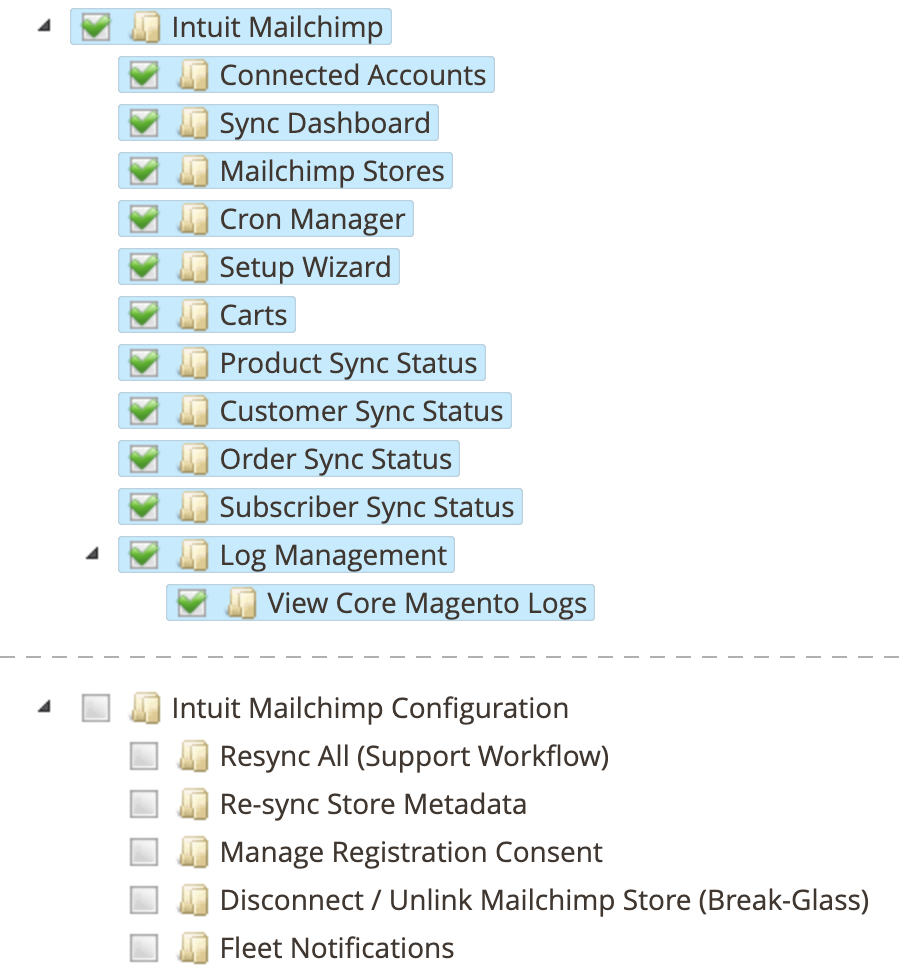
On the Adobe Commerce side, the extension ships granular admin permissions. Your client creates an admin role that grants exactly the integration surface: the sync dashboard, connected accounts, Mailchimp stores, the cron manager, the setup wizard, carts, the per-entity sync status screens, and log management, all without exposing their catalog, orders, or store settings. Destructive actions are gated separately and can be withheld: disconnecting a store, resyncing everything, and managing data-sharing consent each require their own explicit grant. Ask your client for a role, not a login.
On the Mailchimp side, your client invites you as a user on their account: visible on their Users page, revocable at any time, no owner credentials shared. Connecting the integration calls for an Admin-level seat, since only Owners and Admins can create the API keys that integrations use; day-to-day campaign work fits the lower levels. Mailchimp’s guide to account user levels covers the current roles.
With an invited seat on each side, you run the whole lifecycle yourself: install, set up, connect, configure, monitor, troubleshoot. And everything the integration does is auditable in the admin, from per-item sync history to queue state and webhook logs, so when a client asks why something is not in Mailchimp yet, the answer takes minutes, not a support ticket.
How you roll it out
A rollout is a small, predictable piece of work: a Composer install and a guided setup wizard, repeatable for every client store. Check the requirements before you quote, and follow the installation guide to deploy.
After go-live, day-to-day health is visible on the admin dashboard: what synced, what was skipped as unchanged, what is pending, and what needs attention; no scheduled maintenance falls on your side.
Questions along the way? Troubleshooting has the answers, and ebizmarts support is one email away.