

Every buyer already enriches your audience: with the recommended defaults they arrive as non-subscribed contacts, carrying their purchase history for segments and automations, and they can receive transactional email such as receipts. Campaigns are the next step up, and that step belongs to the shopper: they opt in. The extension makes the invitation at the two moments engagement is highest: right after a purchase, and at account creation.
The extension adds an opt-in checkbox at two points in the natural shopping flow: “Subscribe me to email updates” on the order confirmation page and “Sign me up for marketing emails” on the account registration form. Either or both can be switched on independently.
Neither checkbox appears on your storefront until you enable it. No shopper is subscribed without an explicit action on their part.
Where the checkboxes appear
| Surface | Checkbox label | Who sees it | When |
|---|---|---|---|
| Checkout Success page | “Subscribe me to email updates” | Guests and logged-in customers who are not already subscribed | After an order is placed |
| Customer Registration form | “Sign me up for marketing emails” | Anyone creating a new account | At sign-up, before the account is saved |
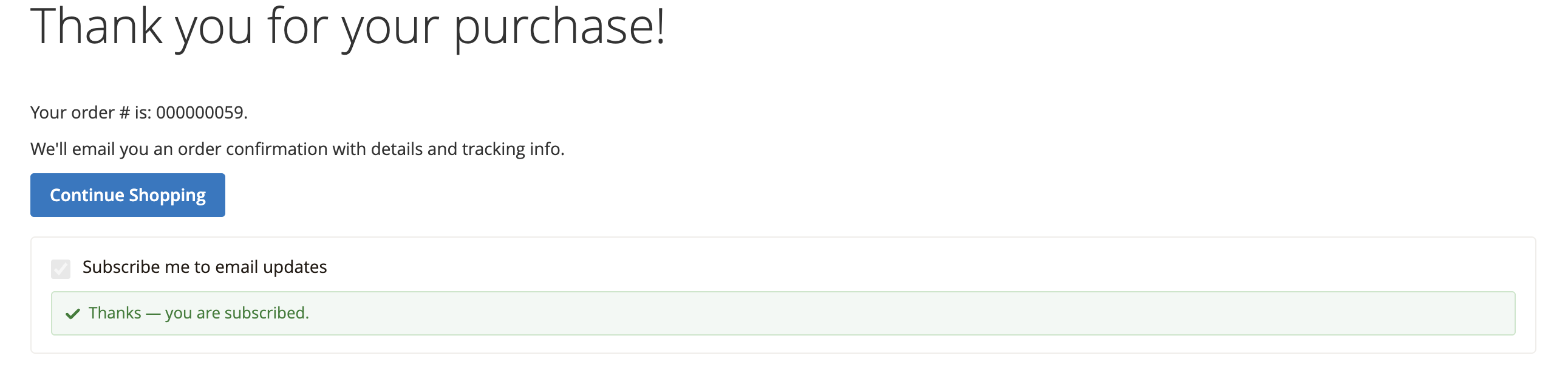
Checkout Success page: the “Subscribe me to email updates” checkbox appears on the order confirmation page immediately after purchase. For a guest shopper, their email is taken from the completed order. Shoppers whose email is already subscribed, guest or registered, see the page without the checkbox. On store views where the Mailchimp Pixel is active, the checkbox stays hidden so the confirmation page carries no overlapping prompts.
Customer Registration form: the “Sign me up for marketing emails” checkbox appears on the storefront account-creation page. When checked, the new account holder is subscribed as part of the registration.
Enable the opt-in surfaces
Go to Marketing → Intuit Mailchimp → Configuration and open the Newsletter Opt-In Surfaces section. You will see two toggles:
- Checkout Success Page: set to Yes to show the post-purchase checkbox.
- Customer Registration Form: set to Yes to show the sign-up checkbox.
Save the configuration. Each toggle is independent: you can run one, both, or neither.
The Newsletter Opt-In Surfaces section appears once Sync Newsletter Subscribers is on in the Contact Sync settings.
Double opt-in
If Contact Sync → Double Opt-In is enabled, every new subscriber from these checkboxes receives a confirmation email from Mailchimp and is held in a pending state until they click through. The extension respects this setting automatically; no extra configuration is needed on the opt-in surfaces themselves.
Double opt-in is recommended for GDPR compliance and keeps your list healthy. Learn more about double opt-in.
Why these two moments matter
A subscribed contact can receive your campaigns; a non-subscribed contact powers your segments and automations and hears from you about their orders. Both make your audience smarter; only one can be marketed to. These checkboxes are where buyers promote themselves, at the exact moments their engagement peaks. And because the choice is entirely theirs, every subscriber you gain this way genuinely wants to hear from you, which is exactly what engagement and deliverability reward. An audience built like this grows in step with your business: every contact is there for a reason, so as the list grows, so does the revenue it drives.
Learn about growing your Mailchimp audience
Questions along the way? Troubleshooting has the answers, and ebizmarts support is one email away.